Organizer guide · Game Night
Use Game Night as your club TV scoreboard
Show courts, scores, and standings on the club TV while a manager runs the event from an iOS or Android phone.
iOS, Android and web · Updated
Published (first source record):
iOS version checked: 1.11 (531; simulator fixture) · Android version checked: 1.10 (local debug build 1)
The publication date is the first article record on main; the original production publication time was not recorded. Screenshot capture dates and versions are listed separately.
Example screenshots show the English interface. The written content follows your selected language.
What does using Game Night on the club TV mean?
The TV opens the event’s public scoreboard in a browser. An authorized manager uses a separate signed-in phone interface for scores, rounds, and corrections. Players and spectators can view the scoreboard without installing an app or signing in. The scoreboard QR is for viewing; use the organizer’s separate RSVP link to register.
What equipment and setup do I need?
Use a browser-capable display or a computer connected to a TV by HDMI, plus reliable internet and an authorized manager phone. Test readable court labels, screen size, sleep settings, and the QR from a player’s viewing distance. Equipment-supported mirroring can work after testing; Pickleball365 does not provide a dedicated casting button.
How does the manager share and update the display?
On iOS, use View display or Share scoreboard. Android provides Show display QR code and Share live scores. Open the shared public link on the TV. On the manager phone, check the round, court, and players, enter both results, wait for the saved confirmation, then check the TV. A saved score and a published next round are separate states.
What do the examples demonstrate?
The four galleries below use the same synthetic snapshots across the real web display, iOS manager view, and Android native header/court components. Each shows Round 1, Court 1 at 11–7; Court 2 is still in progress. The demonstration clock is paused. These are local fixture renders, not live club events, production score propagation, or Google Play acceptance. The demo QR opens this guide.
Example: singles round robin · 4 players
Round 1 uses two courts. Court 1 has a saved 11–7 result while Court 2 is still in progress. Compare the same matchup below on the TV and both native platforms.
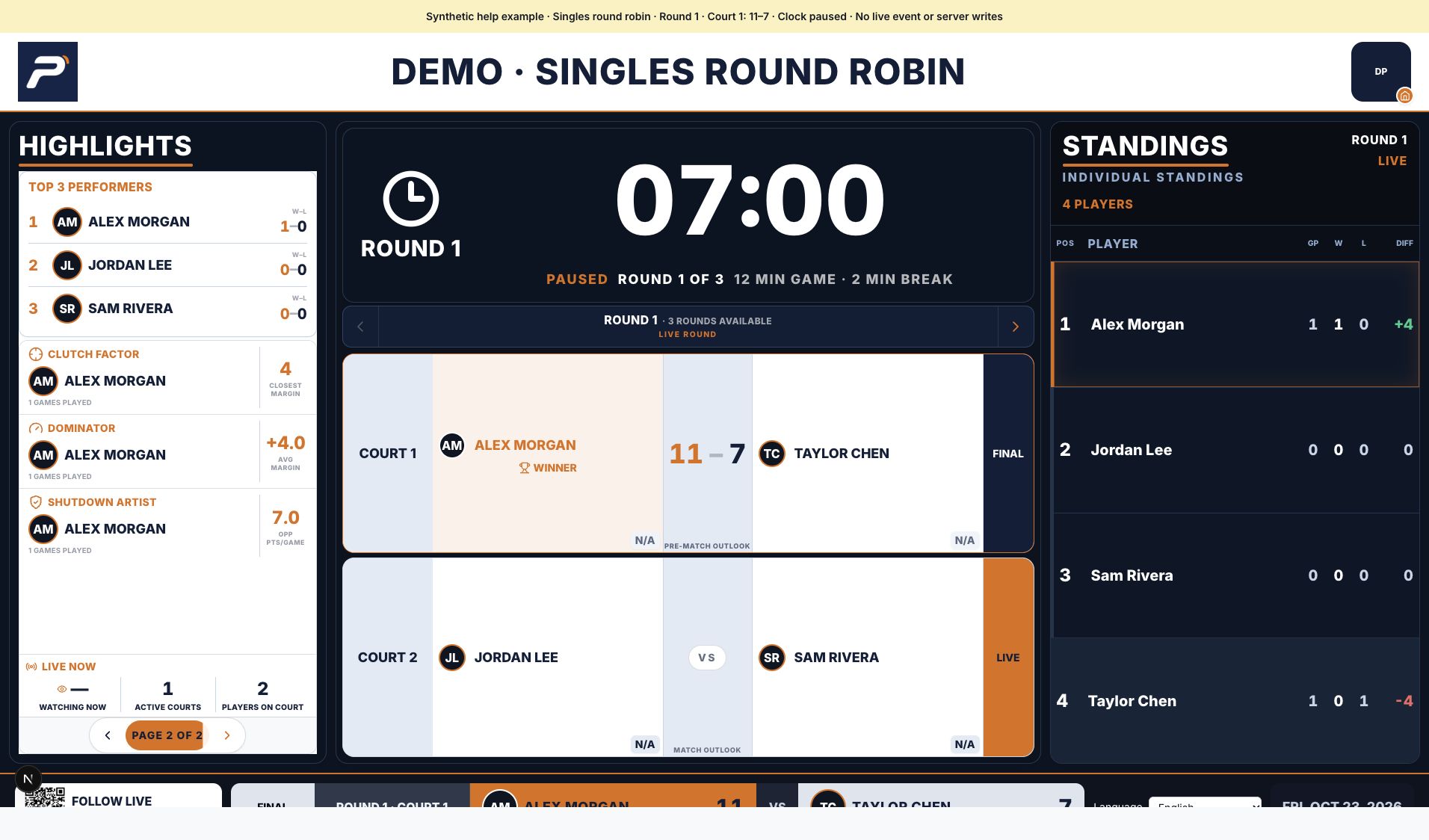
Actual web display rendered locally with shared synthetic data. The clock is paused and the demo QR opens this guide; this is not a live club event.
Screenshot platform: Web · Version: Web source b84ad4fd9 + capture fixture
Captured: October 23, 2026. Tap the image to enlarge.
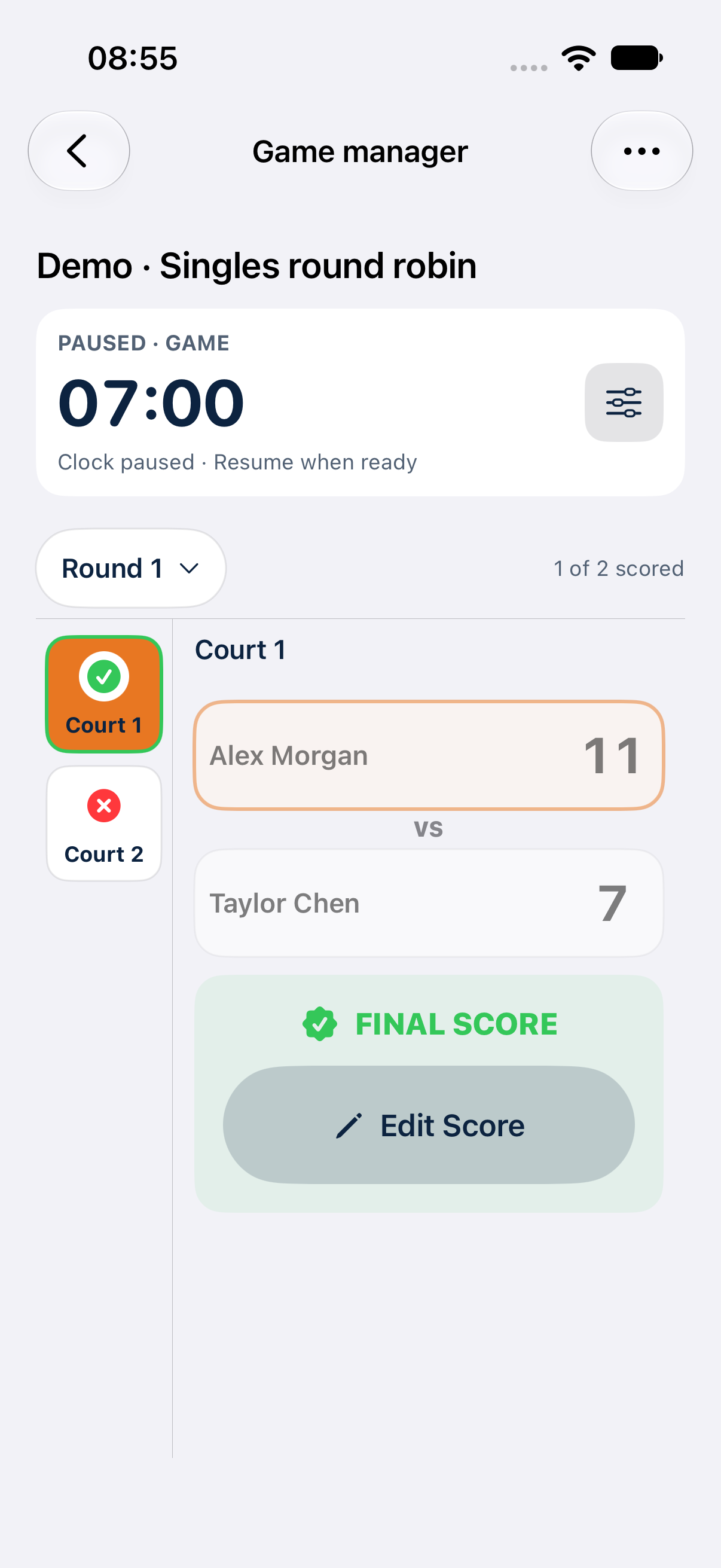
Actual iOS manager view on a dedicated iPhone simulator, using the same synthetic snapshot as the TV. Preview mode rejects server writes; this capture verifies presentation, not production score saving.
Screenshot platform: iOS · Version: 1.11 (531)
Captured: October 24, 2026. Tap the image to enlarge.
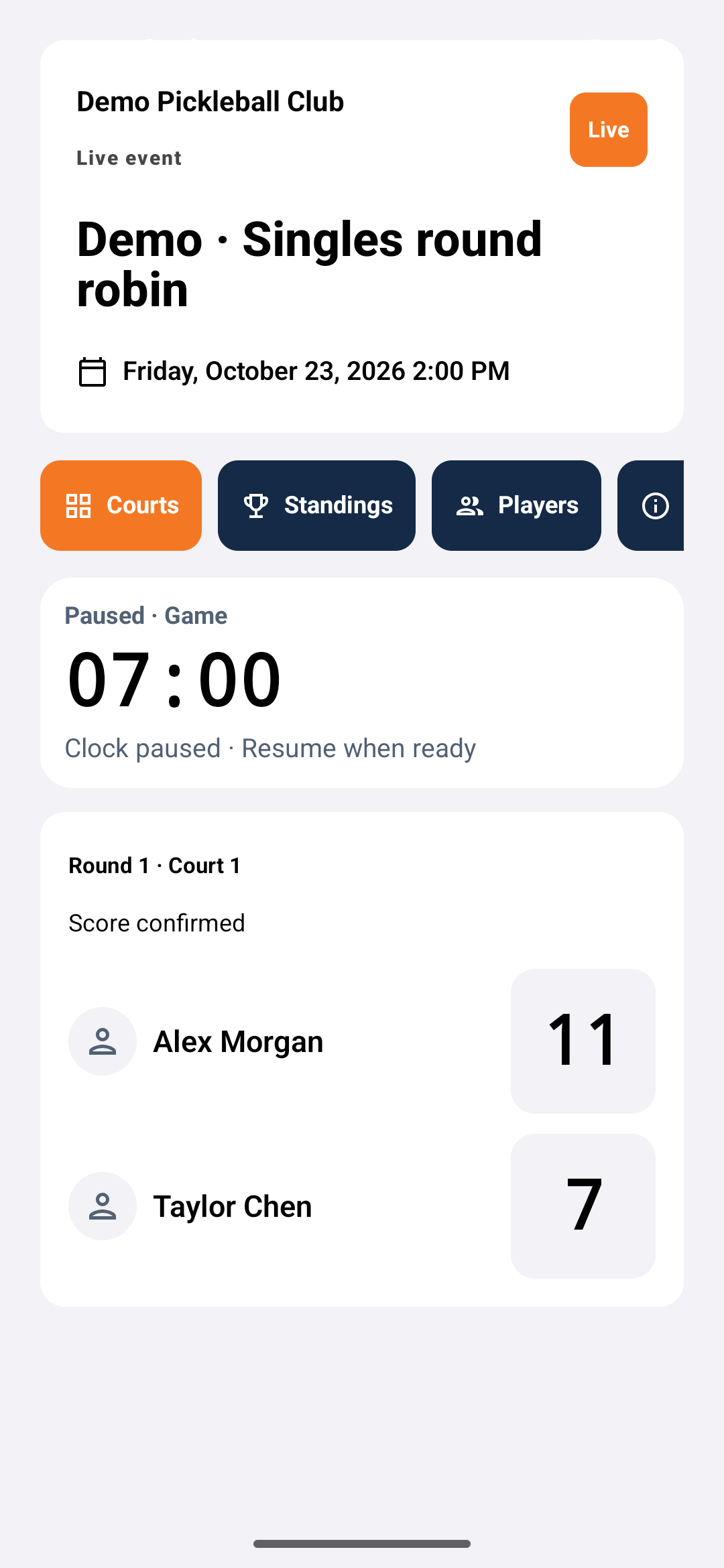
Actual Android production header, clock, court, and score components mounted by an emulator test with the shared synthetic snapshot. This is a controlled component fixture, not an authenticated live event or proof of Google Play availability.
Screenshot platform: Android · Version: 1.10 (1)
Captured: October 23, 2026. Tap the image to enlarge.
Example: King / Queen Teams · 8 players
Round 1 uses two courts. Court 1 has a saved 11–7 result while Court 2 is still in progress. Compare the same matchup below on the TV and both native platforms.
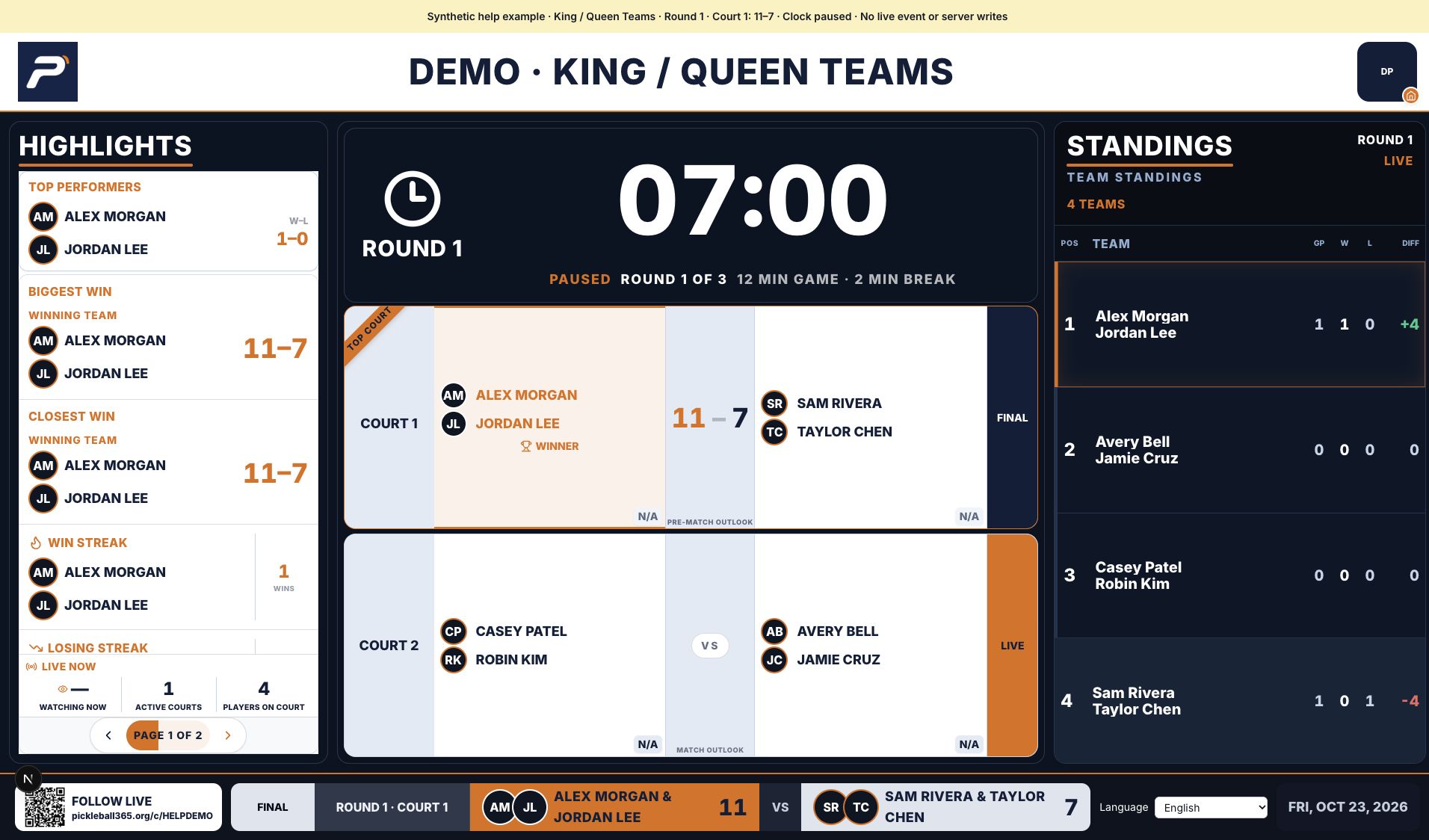
Actual web display rendered locally with shared synthetic data. The clock is paused and the demo QR opens this guide; this is not a live club event.
Screenshot platform: Web · Version: Web source b84ad4fd9 + capture fixture
Captured: October 23, 2026. Tap the image to enlarge.
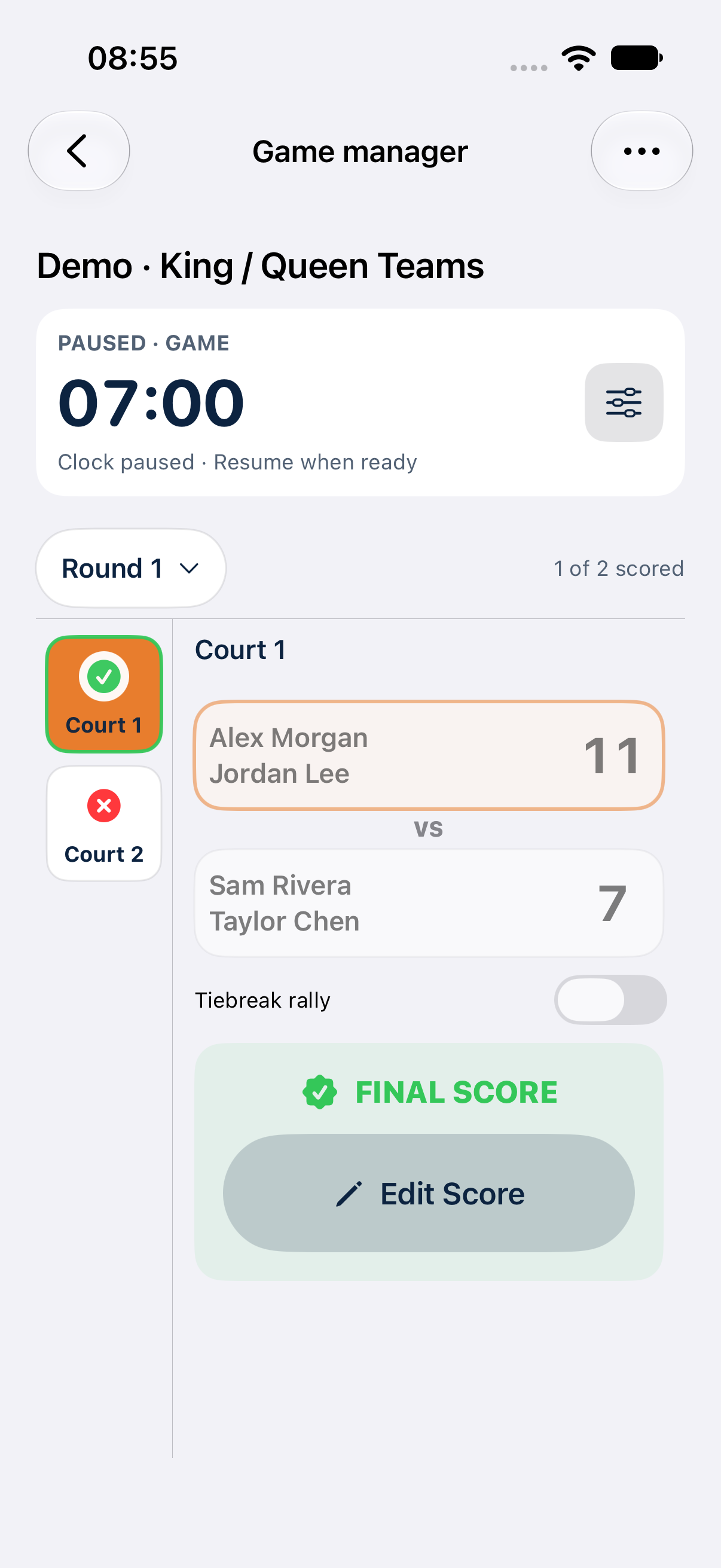
Actual iOS manager view on a dedicated iPhone simulator, using the same synthetic snapshot as the TV. Preview mode rejects server writes; this capture verifies presentation, not production score saving.
Screenshot platform: iOS · Version: 1.11 (531)
Captured: October 24, 2026. Tap the image to enlarge.
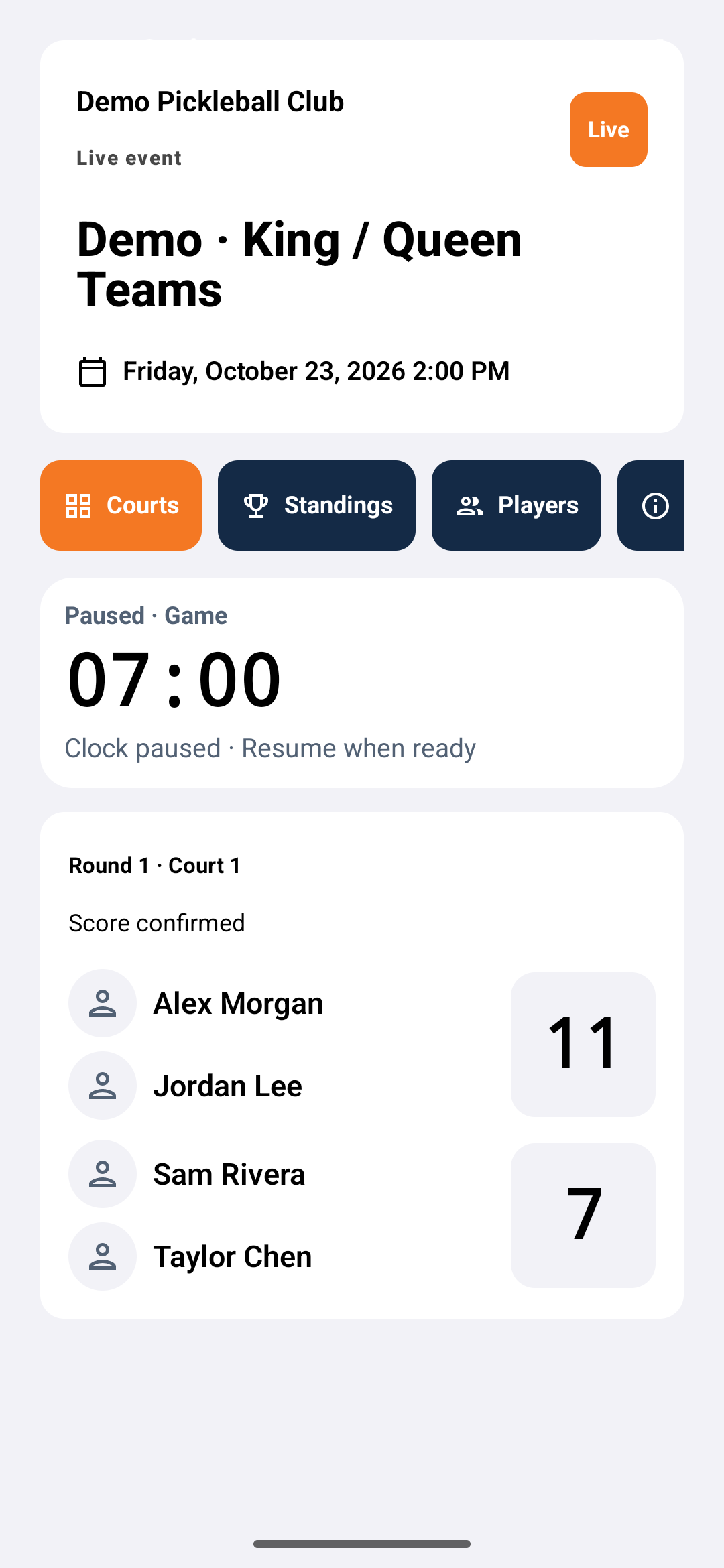
Actual Android production header, clock, court, and score components mounted by an emulator test with the shared synthetic snapshot. This is a controlled component fixture, not an authenticated live event or proof of Google Play availability.
Screenshot platform: Android · Version: 1.10 (1)
Captured: October 23, 2026. Tap the image to enlarge.
Example: Luck of the Draw · 8 players
Round 1 uses two courts. Court 1 has a saved 11–7 result while Court 2 is still in progress. Compare the same matchup below on the TV and both native platforms.
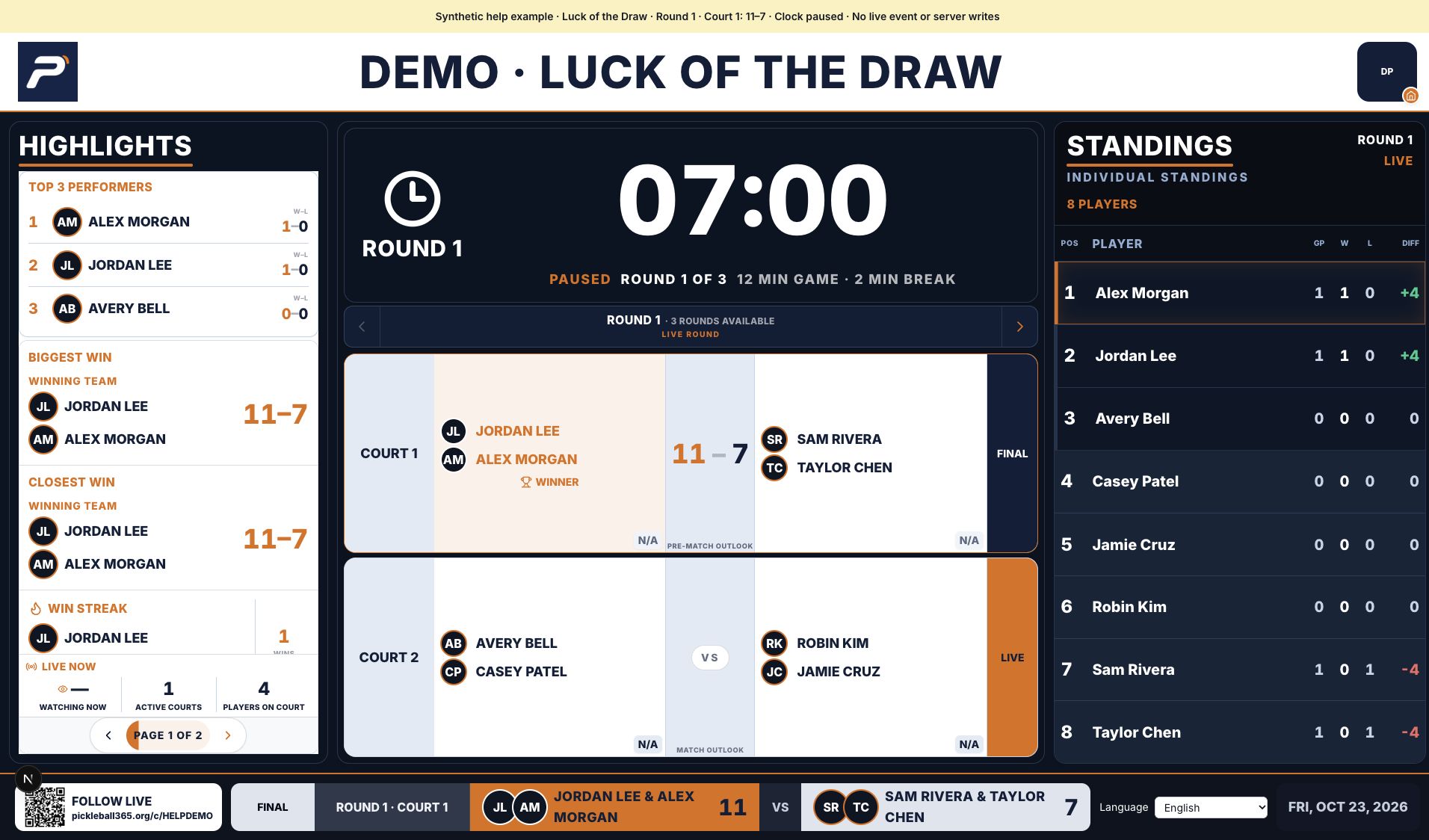
Actual web display rendered locally with shared synthetic data. The clock is paused and the demo QR opens this guide; this is not a live club event.
Screenshot platform: Web · Version: Web source b84ad4fd9 + capture fixture
Captured: October 23, 2026. Tap the image to enlarge.
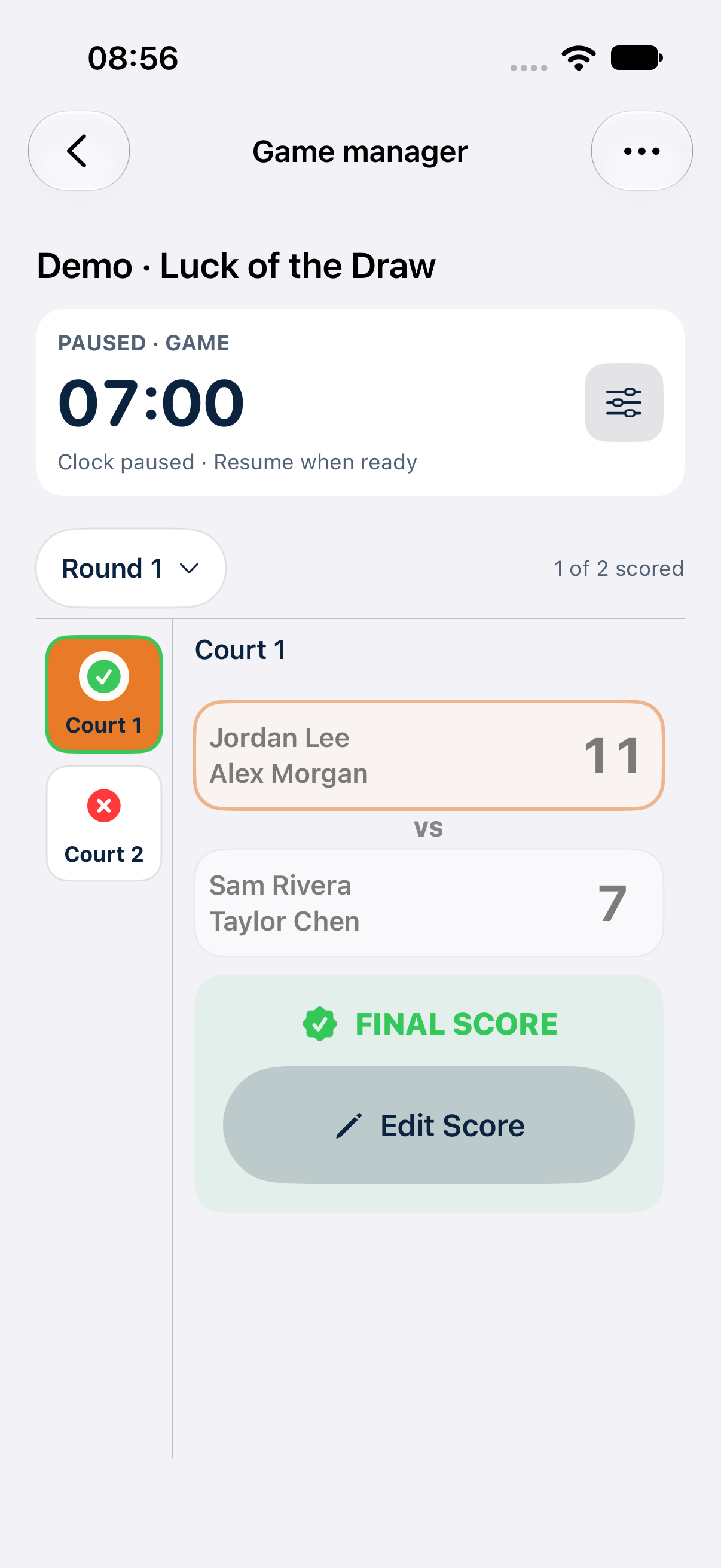
Actual iOS manager view on a dedicated iPhone simulator, using the same synthetic snapshot as the TV. Preview mode rejects server writes; this capture verifies presentation, not production score saving.
Screenshot platform: iOS · Version: 1.11 (531)
Captured: October 24, 2026. Tap the image to enlarge.
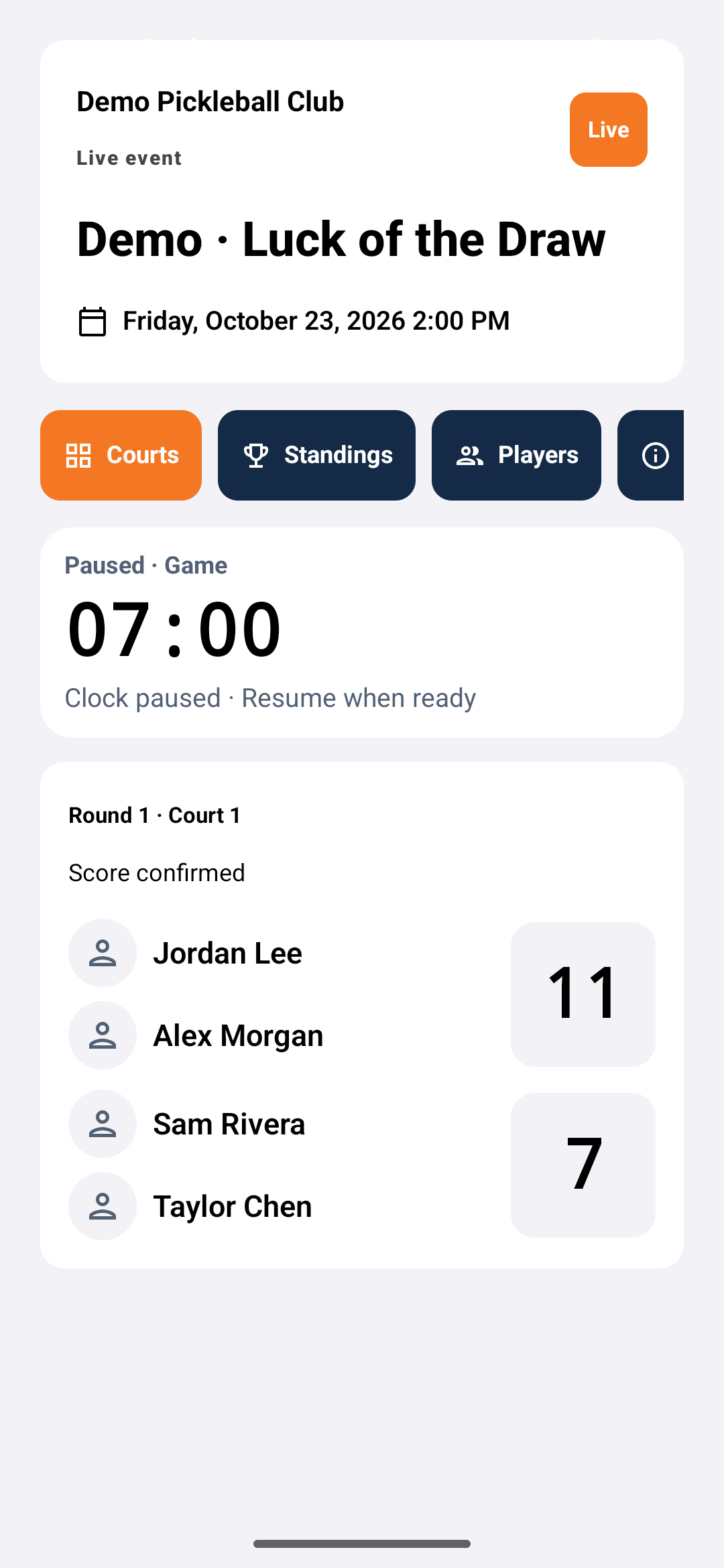
Actual Android production header, clock, court, and score components mounted by an emulator test with the shared synthetic snapshot. This is a controlled component fixture, not an authenticated live event or proof of Google Play availability.
Screenshot platform: Android · Version: 1.10 (1)
Captured: October 23, 2026. Tap the image to enlarge.
Example: non-elimination pool play · 4 teams
Round 1 uses two courts. Court 1 has a saved 11–7 result while Court 2 is still in progress. Compare the same matchup below on the TV and both native platforms.
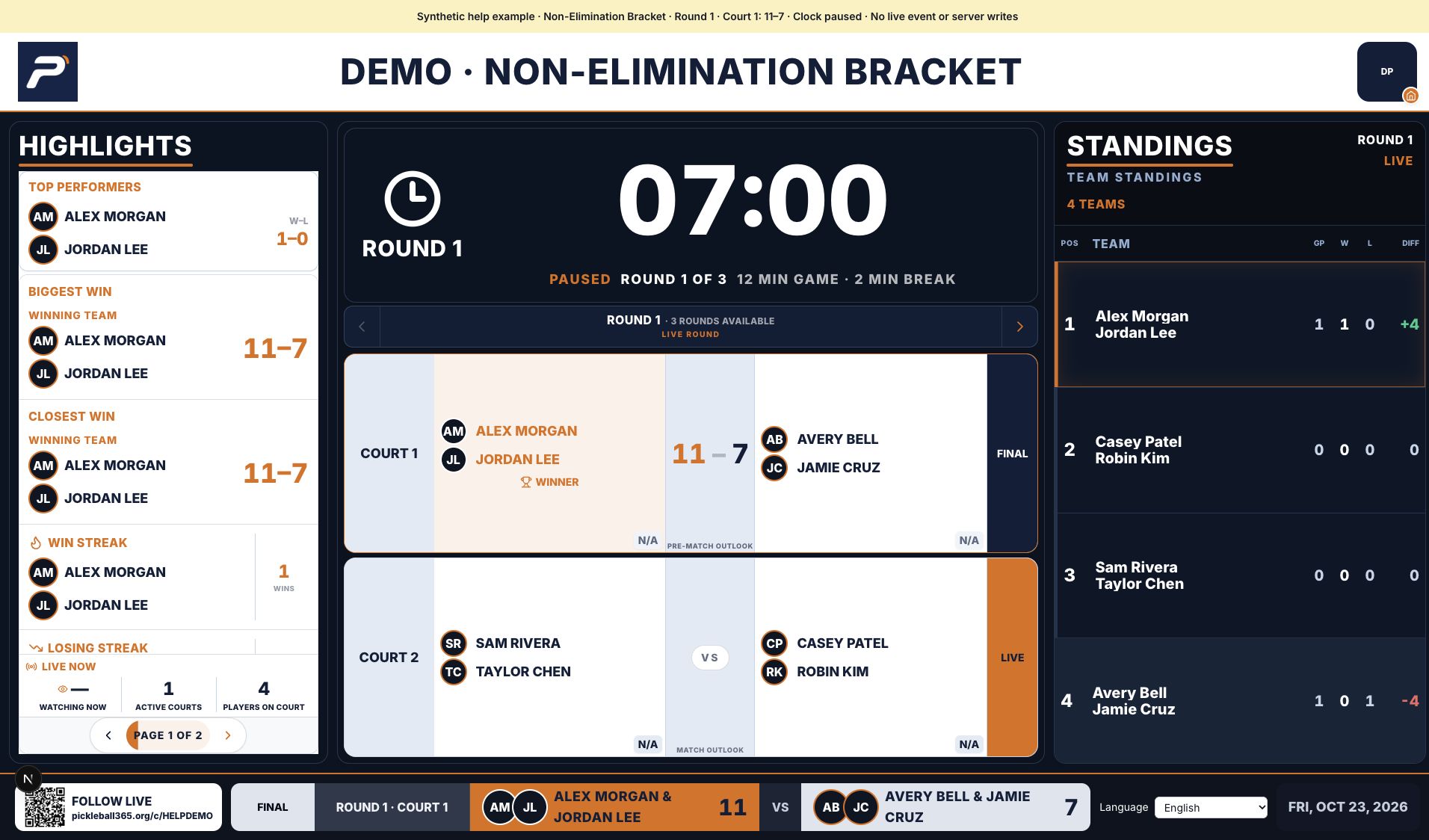
Actual web display rendered locally with shared synthetic data. The clock is paused and the demo QR opens this guide; this is not a live club event.
Screenshot platform: Web · Version: Web source b84ad4fd9 + capture fixture
Captured: October 23, 2026. Tap the image to enlarge.
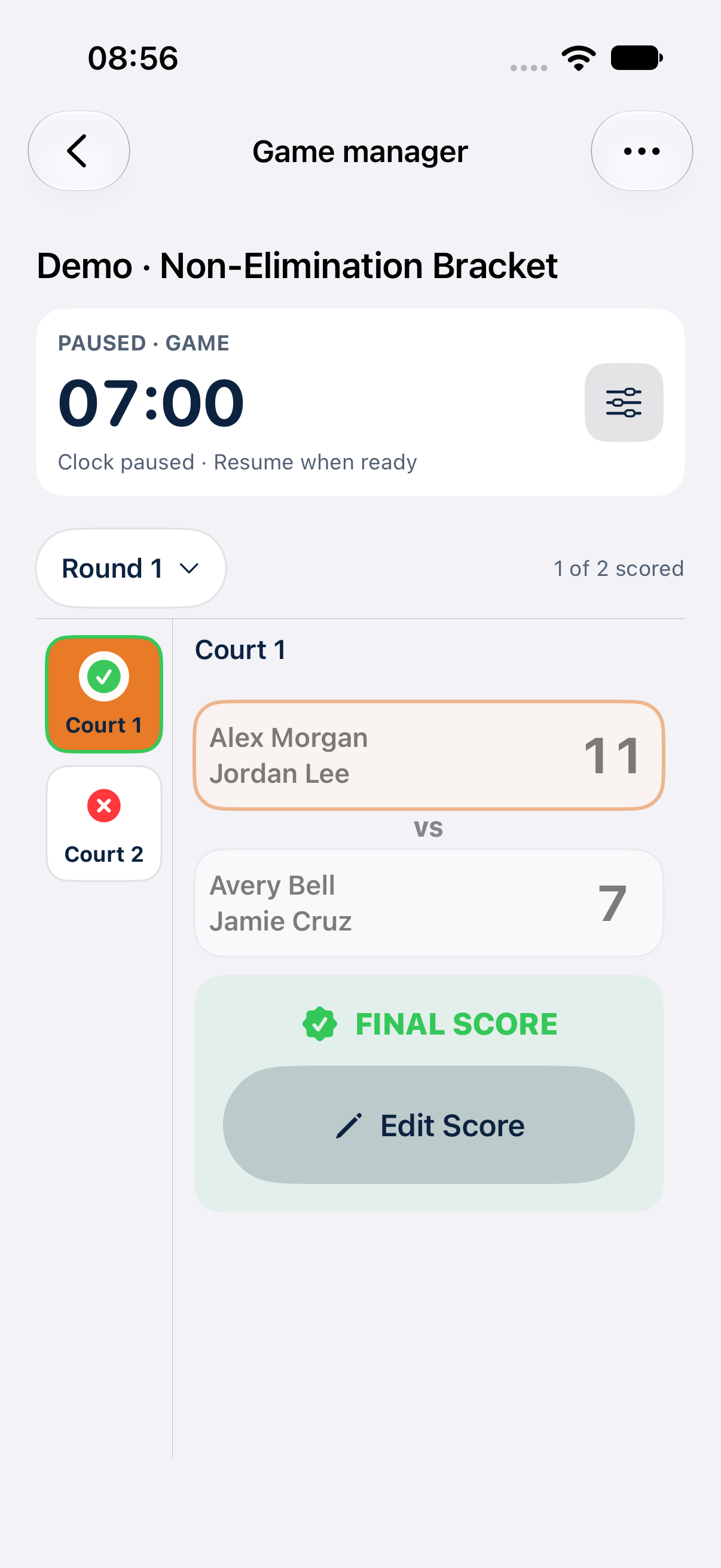
Actual iOS manager view on a dedicated iPhone simulator, using the same synthetic snapshot as the TV. Preview mode rejects server writes; this capture verifies presentation, not production score saving.
Screenshot platform: iOS · Version: 1.11 (531)
Captured: October 24, 2026. Tap the image to enlarge.
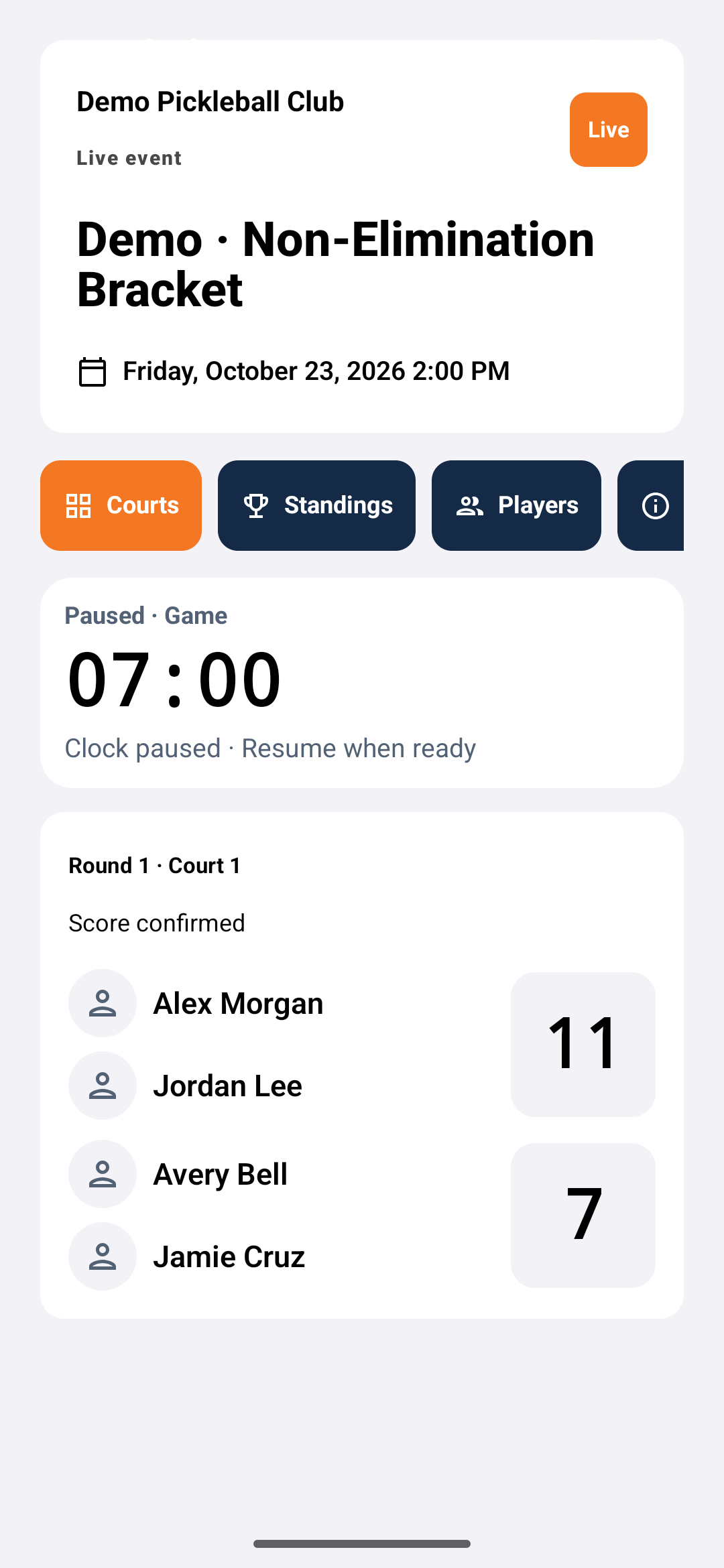
Actual Android production header, clock, court, and score components mounted by an emulator test with the shared synthetic snapshot. This is a controlled component fixture, not an authenticated live event or proof of Google Play availability.
Screenshot platform: Android · Version: 1.10 (1)
Captured: October 23, 2026. Tap the image to enlarge.
What if the TV stops updating?
Confirm the phone shows a saved result and that the TV has the correct event and round. Check internet on both devices and refresh the public browser. Resolve a conflicting score in the manager interface before retrying. The TV link gives no scoring access. At the end, review outstanding results, complete the event from the manager controls, and share the public results link.